Our own product · Events and ticketing
TicketSync
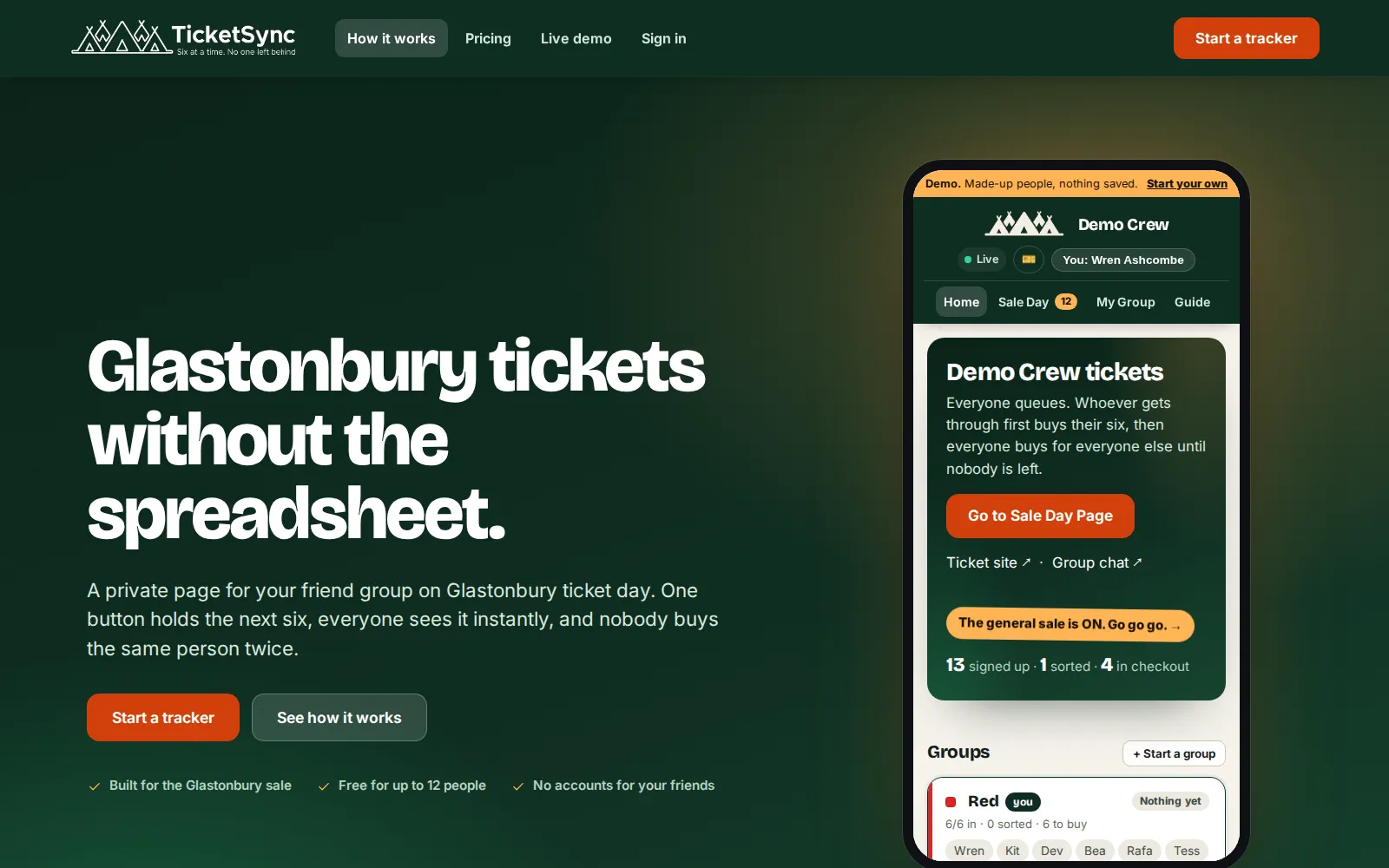
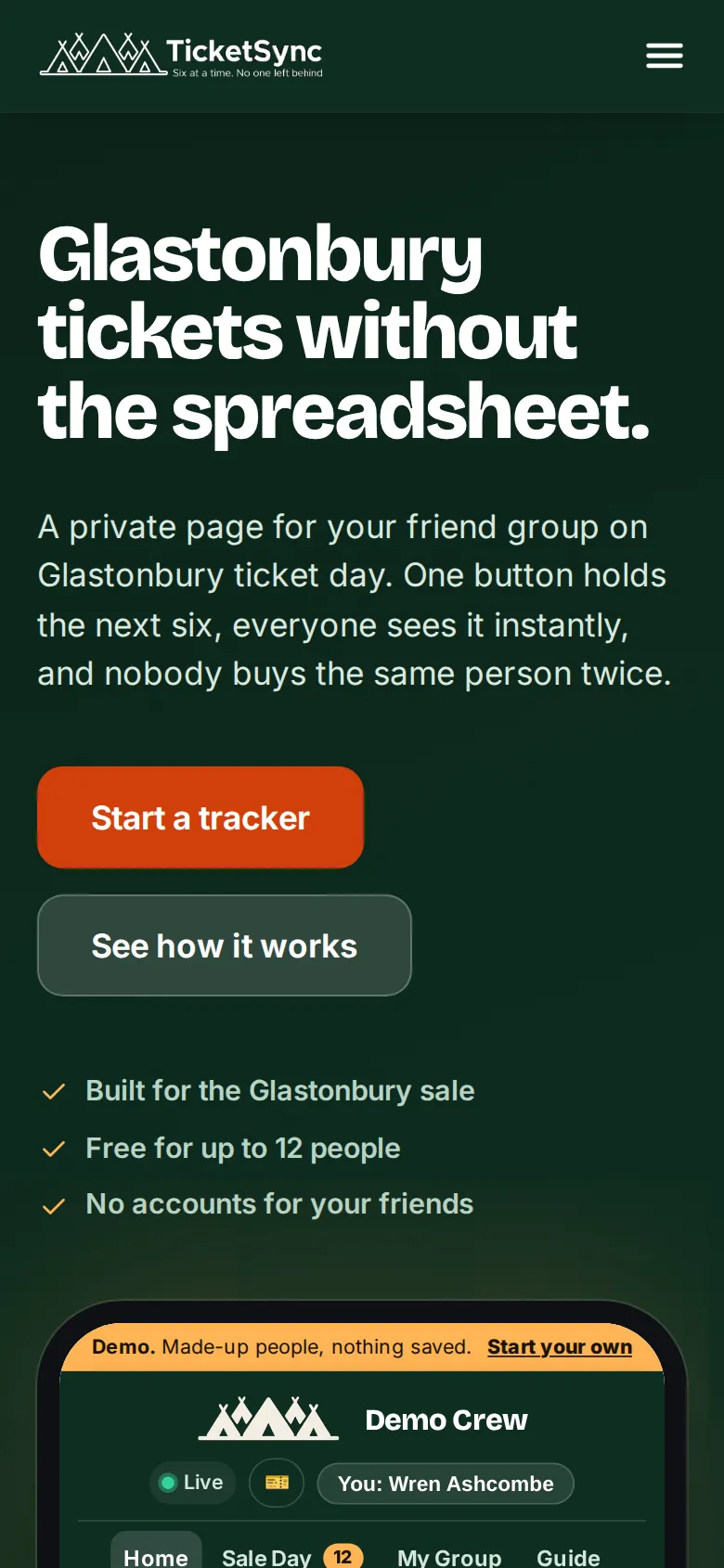
TicketSync is ours. Glastonbury sells tickets six to a checkout, so a big friend group means everyone queuing in separate tabs while whoever gets through buys for the others. The shared spreadsheet that used to track it could not stop two people buying the same person, or warn that someone had already been bought. TicketSync replaces it with a private tracker per group. Everyone signs up once with their registration number and postcode. On the morning there is one button: press it when you are past the queue and the server holds the next block of six for you, your own group first, with a copy button on every number. Mark them bought and they vanish from everyone else’s list.
How it works
Sale morning, step by step.
Captured from the live demo at ticketsync.uk. The demo is the real app running on made-up people, so these are the screens people use on the day.
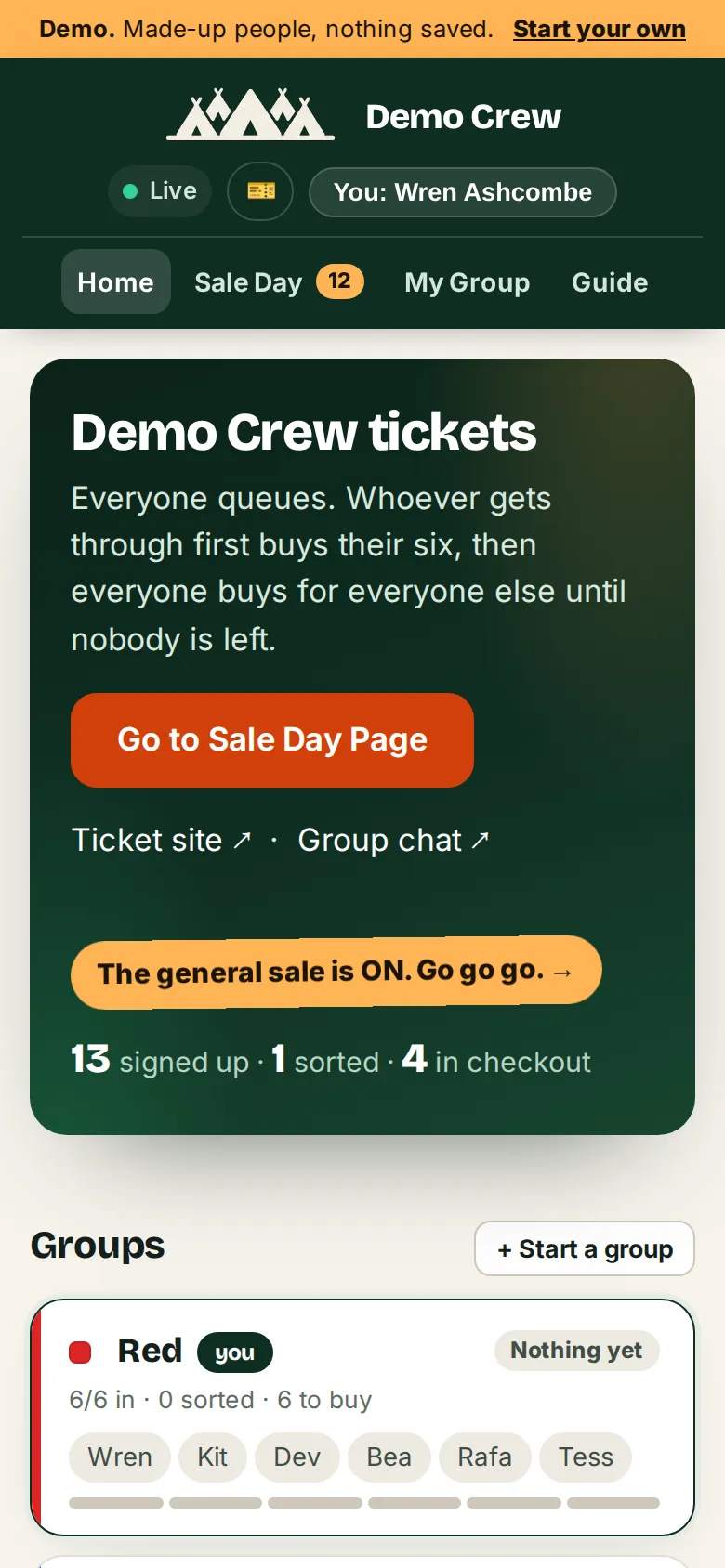
Everyone lands on the home page: the groups, the live feed and the button to Sale Day. The banner says which sale is on. 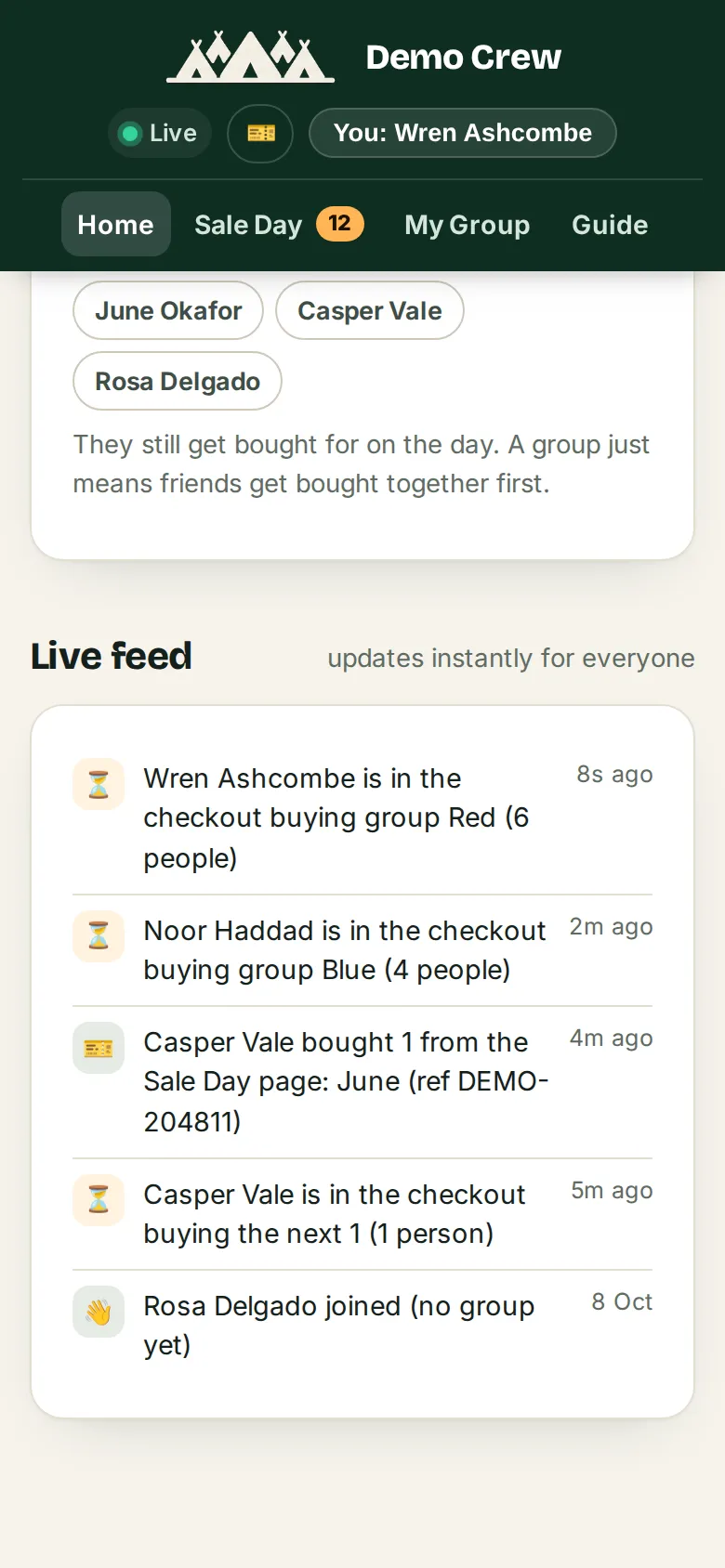
The live feed. Every hold, purchase and release reaches every open phone the moment it happens, with no refreshing. 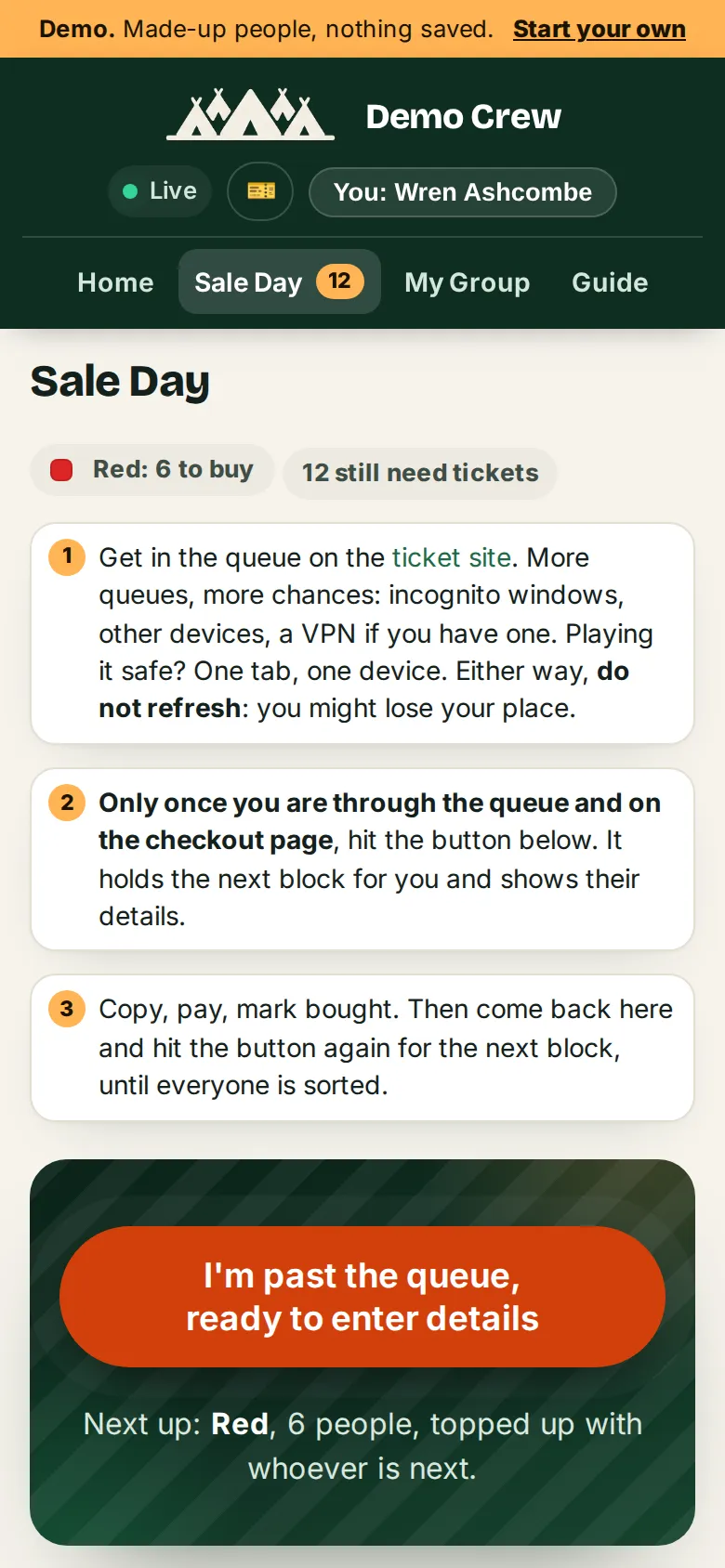
Sale Day while you queue: three steps, one button, and a line saying what it will hold next. Here, Wren’s own group, topped up. 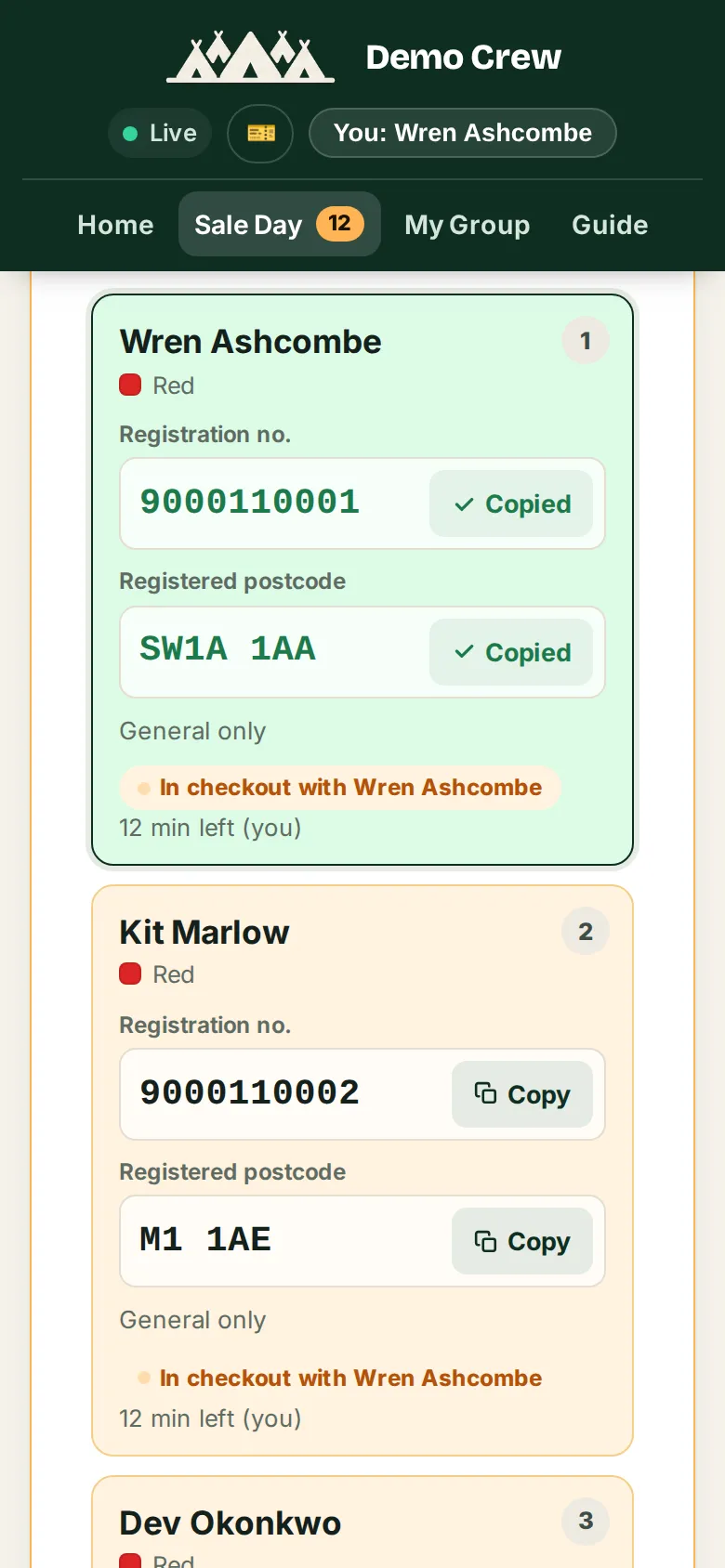
Past the queue, the server holds the next six for twelve minutes. Every number has a copy button and a row goes green once both are copied. 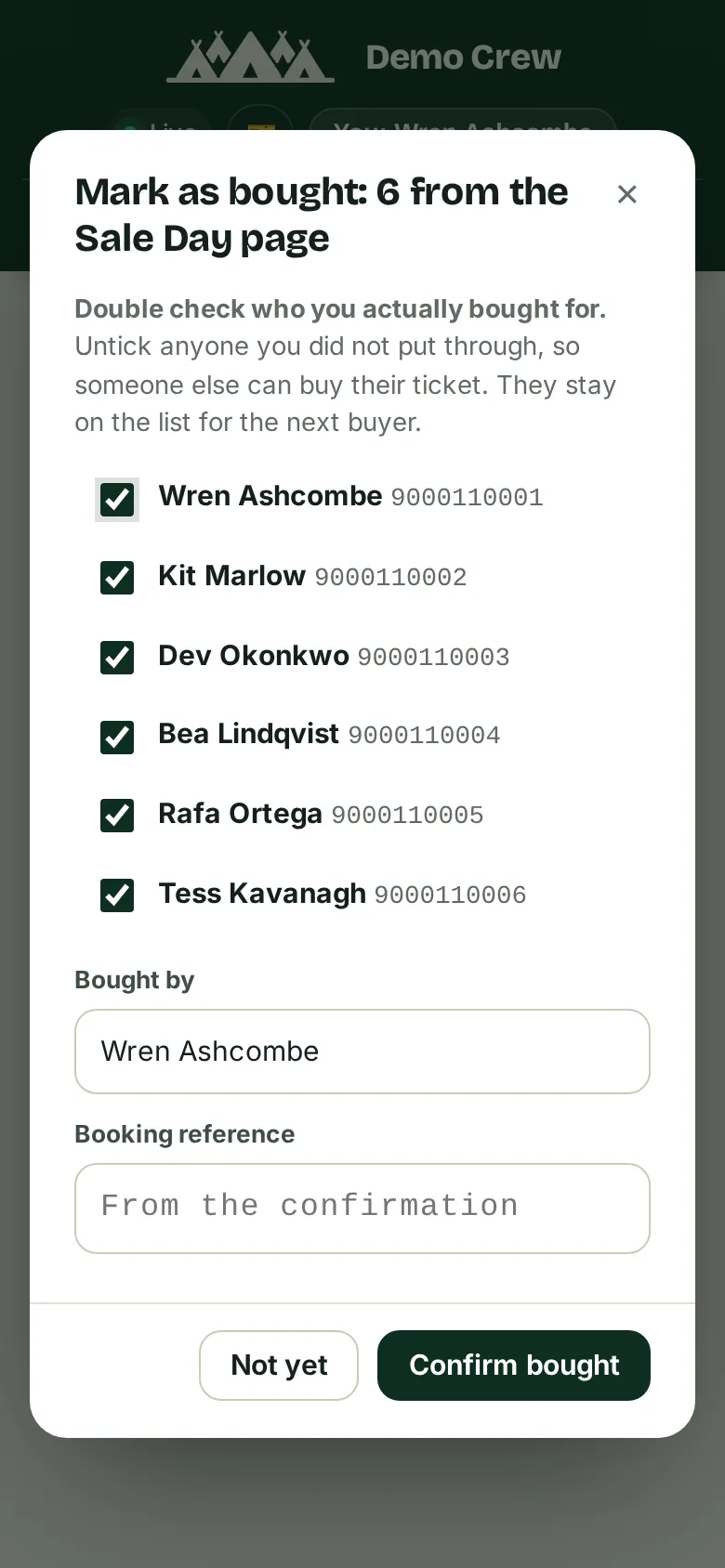
Paid? Mark them bought with the booking reference, unticking anyone missed. They leave everyone else’s list and you go back for the next block. 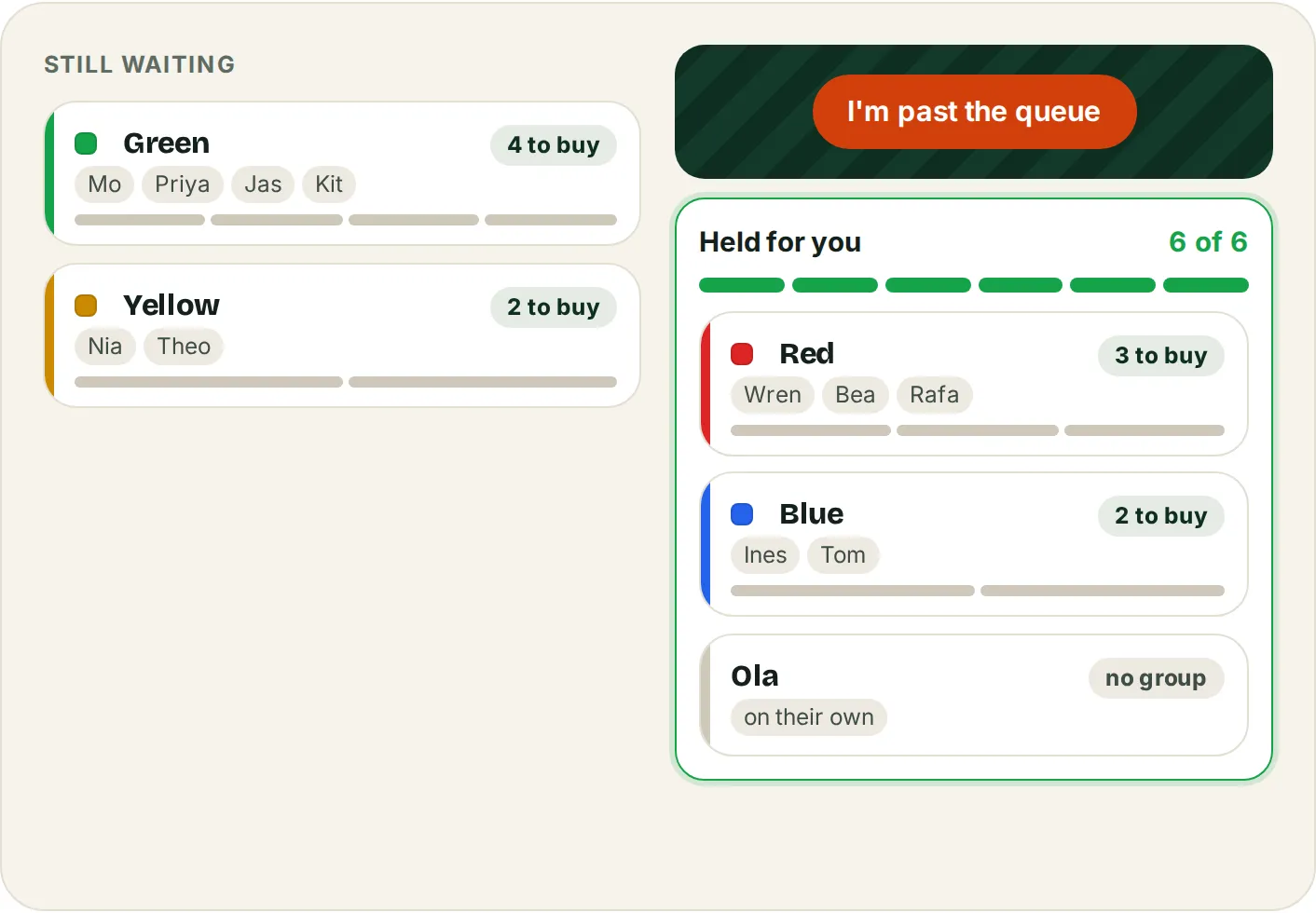
Groups smaller than six are kept whole. Red, Blue and Ola fill one checkout of six; Green is four, so it waits together for the next one. 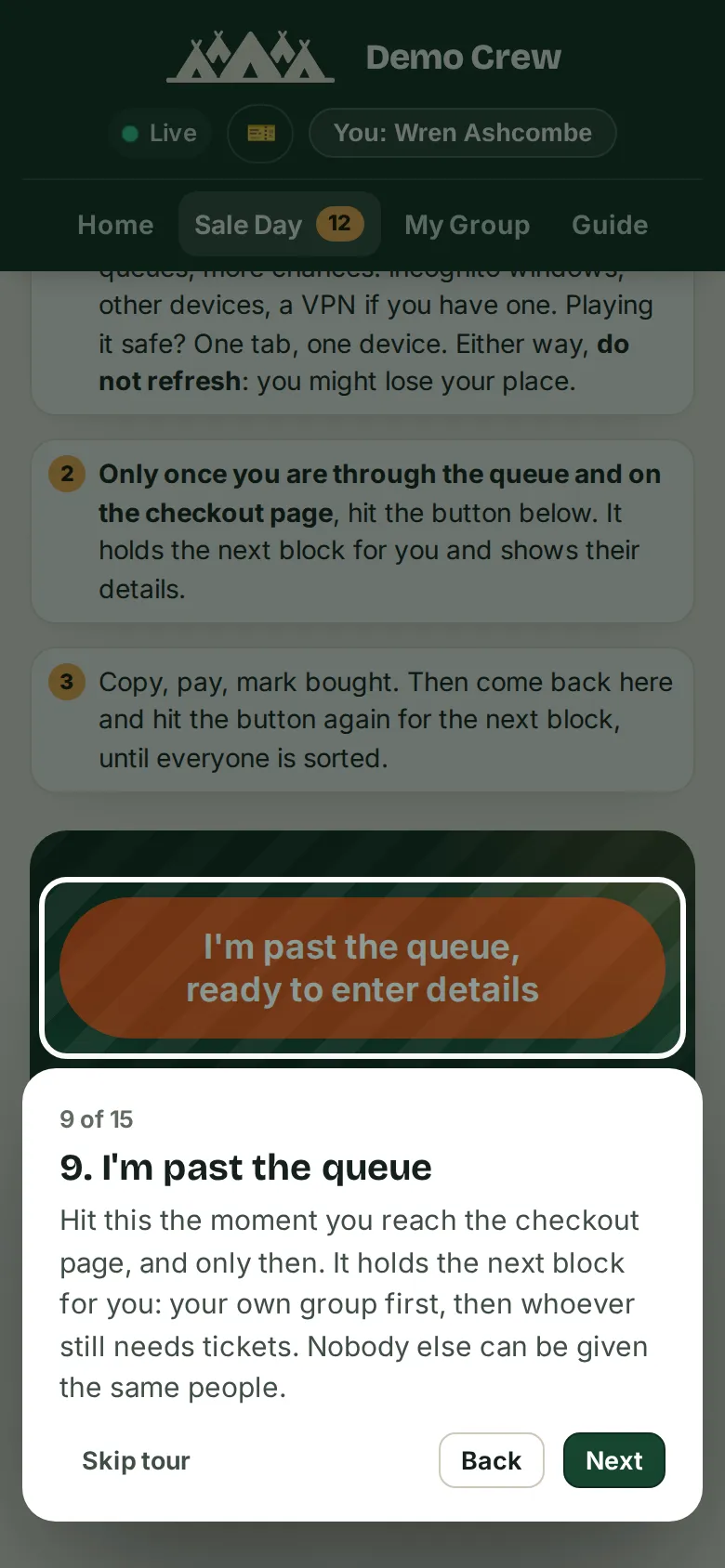
The fifteen-step walkthrough runs on the real pages. Everyone does it once before the day, and the tracker remembers who has.
What we built
The parts that matter.
-
A sign-up quiz that checks details before the day
Name, Glastonbury registration number and the postcode it was registered with, checked on the way in. A duplicate registration number or full name is refused, and the coach questions are only asked of people open to a coach.
-
Groups of up to six, kept whole
A group is one checkout. People move between groups and the capacity is enforced. A group that would not fit the seats left waits whole for the next block; it is never split.
-
One button, and the server picks the block
Past the queue, the button asks the server for the next block: your own group first, then whole smaller groups and people on their own, in sign-up order. Two people pressing at the same moment never get the same person.
-
Holds with a clock
A hold lasts twelve minutes, restarts while the holder has the page open, and lapses by itself if they walk away. An alarm clears stale holds even with no traffic. Releasing puts people straight back in their original order.
-
A live feed on every phone
Each tracker streams every change to every open page over a WebSocket, and counts who is online per person. The page keeps the last 60 events and storage keeps 500 for the organiser to search.
-
The coach sale, which is the harder one
One coach checkout is one departure town, from the official list of 28 towns in 11 regions. People tick where they would leave from, and the button picks the town that fills the biggest block of whole groups.
-
A walkthrough nobody can skip, and a demo with no server
Fifteen steps that point at the real buttons, required once per person and remembered on them. The public demo is the same app running on made-up people, answered in the browser with nothing saved.
-
Organiser accounts by email link, plans paid once
Organisers sign in with a one-use magic link; friends need no account, only the shared password. Tent is free for up to 12 people. Camp and Field pay once through Stripe Checkout, and the limits are copied onto the tracker so a later plan change never touches one that has paid.
-
One isolated process per tracker, frozen before a sale
Every tracker is its own Durable Object with its own storage, created in the EU, with cookies scoped to its own address. Nothing is deployed within 48 hours of any tracker’s sale.
What it runs on
- Cloudflare Workers
- Durable Objects
- D1
- WebSockets
- Stripe Checkout
- Resend
- Plain JavaScript, no framework
Captured October 2026
More work
Food and gifting
Brownie Points
A postal brownie company's first website: a shop built around sending a gift, with a four-step order flow, a note writer for the card and checkout on Shopify.
Health and wellbeing, New Zealand
Shifthappenshub
A massage, hypnotherapy, Reiki and Angel Oracle practice in New Plymouth: a new site with a five-step booking flow that hands off to Cal.com, in build now.